

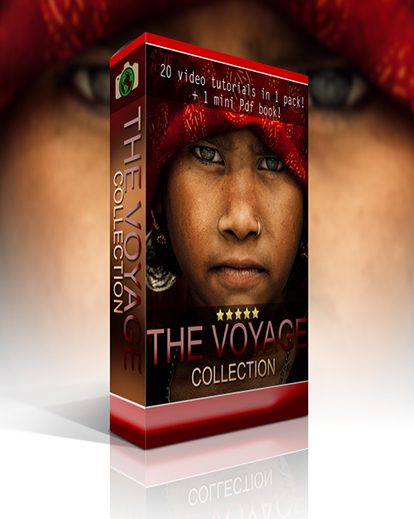

What's Included
30
Photoshop Actions
20
Step-by-step Video Tutorials
1
Mini Book – Story Behind the Photos
Master Travel Photo Editing
Learn professional editing techniques and create stunning travel images with guided tutorials, Photoshop actions, and practice files.
- 20 step-by-step video tutorials
- Create richer colors and tones
- Recover difficult exposures
- Tell stronger visual stories
Real Results with Voyage Photoshop Action Bundle
About this product
Take your travel photography to the next level with Voyage – The Complete Photoshop Bundle. This learning-focused collection combines 20 step-by-step video tutorials, 30 Photoshop actions, original RAW files, edited examples, and a mini book to help you understand not only how to edit, but why each technique works. It’s designed to help you recreate the emotion, atmosphere, and storytelling found in professional travel photography.
Whether you’re improving portraits, correcting exposure, enhancing colors, or refining backgrounds, this bundle gives you practical resources to build your editing skills. Compatible with Adobe Photoshop on Windows and Mac, it also includes the “People Of The World” Photoshop Actions, making it a valuable toolkit for photographers looking to create impactful travel images.
Key Highlights
- 20 Photoshop video tutorials
- 30 travel Photoshop actions
- Original RAW files included
- Edited sample photos
- Mini book with photo stories
- Professional editing techniques
- Covers skin, eye & background editing
- Learn color toning & cloning
- Windows & Mac compatible
- Supports all Photoshop versions
Works With

Photoshop
licensing
Extended Commercial License:
Unlimited use for personal projects
Unlimited use for client photography projects
Sell prints, photo books, and digital downloads
Use in social media, websites, and marketing
Do not resell the original preset files
Do not share or distribute the original files
Audience
These Voyage Photoshop Actions are perfect for:
- Travel photographers
- Portrait photographers
- Adobe Photoshop users
- Photography students
- Content creators
- Photography enthusiasts
Frequently Asked Questions
Yes. The tutorials provide step-by-step explanations, making them easy to follow for beginners as well as intermediate photographers.
The bundle includes over 30 Photoshop Actions designed specifically for travel photography, portrait editing, cinematic color grading, and creative photo enhancement.
The included RAW files allow you to practice editing techniques on professional-quality images while following the tutorial videos.
Yes. The Voyage Photoshop Bundle is compatible with all versions of Adobe Photoshop on both Windows and Mac.
Yes. You will need the Nik Collection, a free plugin suite that works with Photoshop for advanced photo editing effects.
The bundle includes 20 video tutorials, 30 Photoshop actions, original RAW files, edited photos, and a mini book.
You'll learn skin retouching, eye editing, background editing, cloning, color toning, and recovering overexposed and underexposed photos.
Yes. The bundle includes original RAW files specifically for learning and practicing editing techniques.
Yes. The tutorials and Photoshop actions are designed around travel photography and portraits captured in different locations.
Yes. The 20 video tutorials walk you through the editing process with detailed explanations.
Jeff Couture –
The mages are with the videos so you can work along with the video