Access ALL masterclasses with PhotoWhoa PLUS
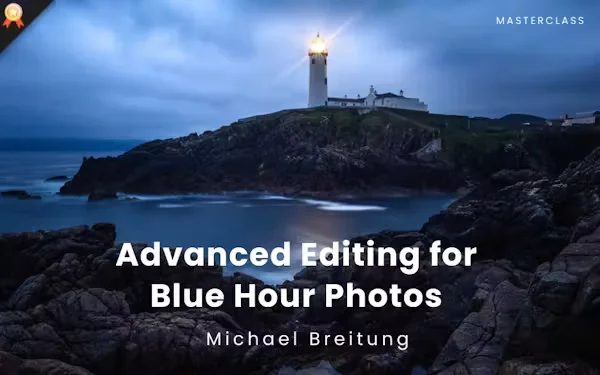
Turn flat, dark RAW files into moody, high-contrast landscapes using Lightroom presets & AI adjustments.
Blend multiple exposures in PS so the foreground & sky are both perfectly sharp & balanced with no compromises.
Apply colour grading & AI retouching workflow to finish images at a professional level, ready to print or publish.
Most photographers treat blue hour images as unusable, with dark foregrounds, flat skies, and long exposures that blur the details they worked hard to capture. The problem isn’t the light; it’s not knowing how to edit it.
With this exclusive masterclass, you’ll be able to:
You won’t just learn how to edit blue-hour photos; you’ll develop an eye for what makes a low-light image work and the skills to get there every time.

Class Material Included
Expert Instructor
Michael Breitung is a landscape photographer, educator, and photo editing expert with nearly 20 years of Photoshop experience and more than 10 years using Lightroom. He runs a photography YouTube channel with over 10,000 subscribers, is an official Kase Filters ambassador, leads annual photography workshops in Morocco, and regularly contributes to photography publications.
View instructor’s classesReal feedback from photographers applying these techniques to improve their editing and workflow.
Really good & comprehensive class. Instructor teaches very useful techniques of blue hour photo editing. Thank you.
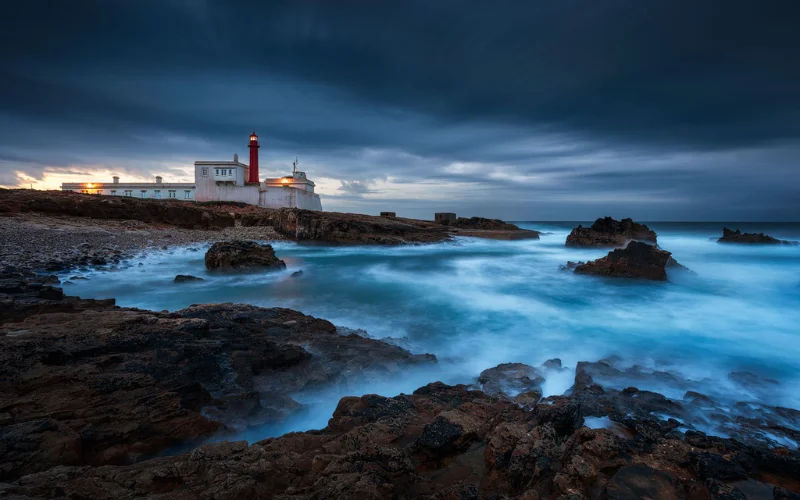
Blue hour photography refers to shooting images during the short time just before sunrise or after sunset when the sky takes on deep blue tones. The light is soft, even, and atmospheric, making it ideal for landscapes, cityscapes, and moody scenes. However, blue hour images usually require careful editing to bring out their full potential.
Lightroom is excellent for initial adjustments, masking, and color corrections, but advanced blue hour photo editing often requires Photoshop. Techniques like luminosity masks, focus stacking, advanced contrast work, and detailed retouching are best handled in Photoshop, which is why this masterclass covers both tools.
Yes, Photoshop is highly recommended for professional blue hour photo editing. While basic edits can be done in Lightroom, Photoshop allows precise control through adjustment layers, smart objects, luminosity masks, and advanced retouching techniques that are essential for high-quality results.
No. While the primary focus is on how to edit blue hour photos, all the techniques taught such as masking, contrast control, luminosity masks, and retouching can be applied to photos taken in any lighting condition, including daytime and golden hour images.
This masterclass is best suited for photographers who already understand the basics of Lightroom and Photoshop. It is designed for intermediate to advanced users who want to take their photo editing skills to a professional level.
Absolutely. This masterclass is especially valuable for landscape photographers who want to expand beyond sunrise and sunset shots. Blue hour light works beautifully for landscapes, cityscapes, and architectural photography.
You will need Adobe Lightroom (Classic recommended) and Adobe Photoshop. A basic understanding of both programs is required to get the most out of the lessons.
You’ll discover essential blue hour photography settings like slow shutter speed, low ISO, and proper aperture control to capture clean, noise-free blue hour photos even in low light.
Unlike night photography, blue hour photos retain natural ambient light and color detail. This masterclass shows how to preserve that mood while enhancing tones and contrast.
Yes, the blue hour photography tips and editing workflows are highly useful for travel and landscape photographers looking to capture and enhance dramatic scenes.
Blending multiple exposures in Photoshop helps you preserve highlight and shadow details while creating a natural-looking blue hour image. You can combine exposures using techniques like focus stacking (when depth of field also needs to be extended) and luminosity masks for precise, seamless exposure blending. Lesson 4 of this masterclass covers the complete exposure blending workflow step by step.
Unlock this masterclass and 70+ more for one low annual price
/year
Price locked once you subscribe. Cancel anytime.
Get instant access to ALL masterclasses with PhotoWhoa PLUS
30-Day Money-Back Guarantee
Join photographers worldwide improving their skills with PhotoWhoa PLUS